
I received feedback from my previous post – How To Stream Services in Mexico (DirectTV, Hulu, Netflix, AppleTV, Prime Video, etc.)
Trash definitely has a con. The Con: He charges people to set up a VPN. He has charged previous clients $250 to set up a physical VPN box as well as charge them for a monthly fee for VPN “service”. That VPN service — NordVPN. Yep. The same one I recommend. He had one customer set up a NordVPN account, got her credentials (username and password), then set up OTHER customers on her NordVPN account. So while she pays for the service, he piggybacks on that service by charging his customers (they pay him) for the service, while he is paying NOTHING. I’ll say it again, he charges customers a “service fee”, they pay him directly, meanwhile, he is paying nothing AND he is using one paying customers account to provide the service to multiple customers. It may not be illegal, but it is certainly unethical.
Don’t fall for the con. You can set up the VPN device yourself and save yourself $200 (the wifi router I recommend will cost you $50). Here is how:
- Get a Wifi Router
- Subscribe to VPN Service
- Set Up the Wifi Router
- Install NordVPN on Wifi Router
- Other Recommendations
Get a Wifi Router
You can set up VPN on this Wifi Router yourself and save yourself $200. Takes 20 minutes.
First, there are a lot of Wifi routers out there. Most of them require a degree in computer science to set them up. There is an easy work-around, and is exactly what Trash has charged his clients $250 to do. Save yourself the $250+ and do this yourself.
Get yourself the ASUS AC1750 WiFi Router (RT-AC65). I recommend this wifi router because it is super simple to set up. If you live full time in Puerto Penasco / Rocky Point Mexico, you can have it delivered to K5 Enterprises in Ajo Arizona. For a small fee, they will receive it and hold it for you until you can pick it up.
Subscribe to VPN Service
Again, I recommend NordVPN – If you want to go with NordVPN, use my referral link to sign up and get a free month for purchasing a monthly plan OR get 3 months free for a 1-year or 2-year plan purchase. If you don’t want to go with NordVPN, pick any VPN service. Link below to the top 3 recommended VPN’s for DirecTV Streaming services (note: NordVPN is on the list).
| For a deep dive into the top 3 VPNs available, go to Best VPN for DIRECTV STREAM Outside US in 2023 |
Set Up the Wifi Router
Super easy to set up. Just turn it on, plug it into the modem (the box where cable comes in for the internet) and program it. Instructions will be included with the Router, but you can also find them here.
Be sure to change the default admin password so no one can take control of your device or make changes to your wifi network setting. This is SUPER important as everyone knows the admin default user name and password (its all over the internet), thereby giving everyone access to reprogram your Wifi router. You DO NOT want this. So change the password as part of the setup.
Install NordVPN on Wifi Router
There are instructions all over the internet on how to do this. Here are the instructions I used on How to Set Up VPN on Asus Router. Also, here is a great YouTube video with step by step instructions on how to do this.
Basically you are going to:
- Log in to your new wifi router
- Go to the VPN section and add your NordVPN details.
- Download the OpenVPN client configuration files from NordVPN’s server (choose a server to download its configuration files) and install on the Wifi Router.
- Configure DNS Server
- Active the VPN Client to start NordVPN on your Asus router.
Once you do this, your Wifi router is now configured to run NordVPN all the time, and every device that is connected to the Wifi network will by default be using the VPN to access content (subscription/streaming services, etc). Again, AS LONG AS ANY DEVICE is connected to the VPN enabled Wifi Network, you will be able to watch your shows in Mexico as if you were watching them from your home country (or whatever country you set up on your VPN).
Other Recommendations
You can do this. Don’t pay someone an exorbitant fee to do this for you.
Also make sure you:
- DO NOT give your credit card details to anyone. The person offering this service stole my credit cards and racked up almost $6k in debt. Yes I have the police reports. He also used my private information to set up fraudulent DirecTV accounts. Yes, I also have the identify theft reports filed with both the police AND DirecTV. DO NOT GIVE ANY PERSONAL INFORMATION to him or ANYONE. period.
- DO NOT let anyone have the admin password to your Wifi router. Change the admin default password so no one else has it either. Be sure to write it down. Or better yet, get yourself a password saver. Looks like you can get one for free with your NordVPN subscription: NordPass. I personally use LastPass and love it. My company uses OnePasword . Both are easy to use and a great tool to save/store username and passwords. .
- DO NOT give anyone the password to your NordVPN account. If you do, they will have access to add devices to YOUR paid subscription!
Please protect yourself. There are A LOT of people out there that will steal from you under the guise of “helping”. You do not need this drama in your life. Setting up VPN is easy. You can do it. If you need help, reply to this post, I will help you.
Post your questions in the comments section. I’ll do my best to reply within 24 hours. If you want to walk through this together, email me at paulasponderings@gmail.com.






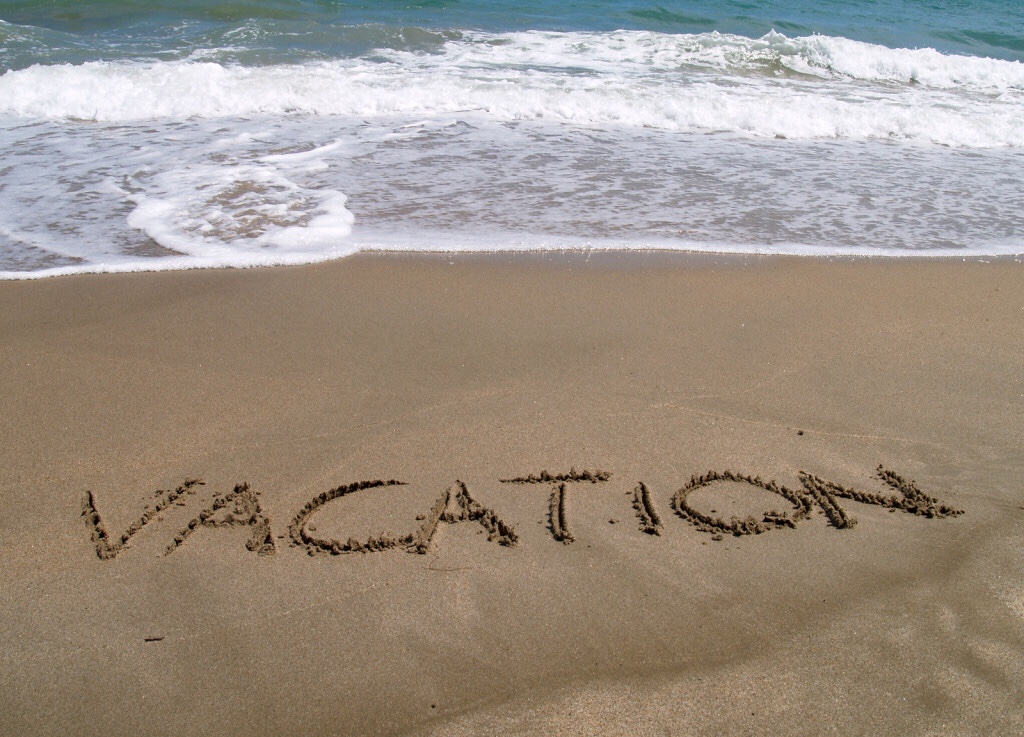 So I am on vacation again, feeling inspired to finally share. But when I finally figured out the password, I realize that it has been over a year since I’ve written! I think about writing all the time, I have a lot of clever half written blogs. This just proves that thinking and doing are two very different activities.
 Yep. Last week I was going about my business at work when I was called into a conference room by the president of the company. The purpose of the meeting was to discuss the reasons why customers are not renewing their contracts with the company. I have shared this information with the executive team for months… so it was odd that he wanted to meet with me to discuss.
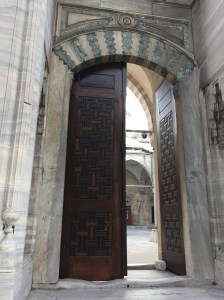 Once I got off the train I walked to the
 Here is a tree that bewildered me. This is a
  I was definitely out-of-place in some areas… I felt safe, and was in no way in danger. It was just clear to me and others that a) I was the only woman, b) I was white, and c) with my new Louis Vuitton Tote, I was a tourist. I didn’t want to do anything offensive so I was careful to not take many pictures. There were blocks and blocks of buildings where there were openings like this one – where homes and buildings destroyed in the last few earthquakes.
 When I finally got to somewhere I recognized, it was the back of the
  I was getting hungry so I worked my way to
 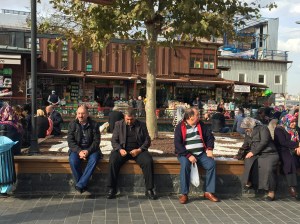 yes, the new one. It was completed around 1660… So yes, the newest one of them all. I did not go inside (again, I was hungry), but here are folks washing up before entering the mosque and a quick snap of the courtyard area. I just love how everyone hangs out, taking time out of their busy day to soak up the world around them, give thanks for what they have, pray for others…
 The ferry ride to







 Wowza… yes, it’s some ridiculous time in the morning of Day 3 (Day 2 is way over, Day 3 has officially started)…
 Second, experiencing Istanbul with a local is very different from experiencing the city as a tourist. Tonight I had dinner with a local at a place that isn’t touristy at all. We went to
 Paula's Ponderings